|
The following is tentative, changes/additional instructions/supplements may be added at
a later date. Click on the links below to see more detail.
Note the following:
- The purpose of the class is not to make you push paper
- You should spend your time thinking, taking things apart, modeling, and understanding
- Everything you are required to write will have a specific purpose, there will be no
"busy work"
 |
Working
with spreadsheets |
 |
Sketching
& visualization |
 |
CAD
Training - Building models |
 |
CAD
Training - Building models cont. |
 |
CAD
Training - Building assemblies |
 |
HTML -
Writing basic web pages |
Top | Home-Frames | Home - No Frames |
Working With
Spread Sheets What's Involved:
» Read tutorial [coming soon] on spread sheets
» Modify an existing spread sheet
» Plot results for new design
Instructions:
» Open the spread sheet, INSTRUCTIONS ARE INCLUDED
ON THE SHEET!!
Why:
Spread sheets are good for:
» Performing calculations
» Fitting equations to lines
» Solving iterative equations
» Organizing data for reports
» Making plots and tables for reports
» They allow you to change parameters and play what if games
» You can use them to model you projects, in 2.007, 2.009, 2.72,
and other classes
File(s):
» assignment_1.xls [coming soon] |
Top | Home-Frames | Home - No Frames |
Sketching,
Solid Modeling, & Visualization What's
Involved:
» Read tutorial on sketching
» Sketching several 3D objects and 2D views of VRML models
Instructions:
Draw 3D and 2D views of the coffee cup, rook, and box end wrench.
If you need help visualizing these pieces in 3D, or "seeing"
2D views from different angles, you can use the animated GIFS or VRML files below.
The GIF files should play with no extra software, but if you would like
to "move the picture around" under your control, you can access the VRML
(Virtual Reality Modeling Language) files and turn and twist as you like.
You MUST have a VRML player installed to view the VRML files!! You
can get Cosmo™ Player 2.1 free of charge for: PC |
MAC
| Animated GIF |
Look at VRML |
Animated GIF |
Look at VRML |
Animated GIF
|
Look at VRML |
| Picture of Coffee Cup |
Picture of Flexure |
Picture of MIT Logo |
Why:
Sketching is a good way to quickly :
» convey your ideas/concepts
» rough out parts before solid modeling them
» an essential skill for an
engineer
File(s):
» none |
Top | Home-Frames | Home - No Frames
|
CAD Training
- Building Models What's Involved:
» Read Tutorial
on Solid Modeling Part I
» Skim tutorial on SolidWorks™
» Model several different parts
Instructions:
Given starter files, make/finish the 3D models of:
» Bolt
» Piston
Why:
:Solid modeling is presented/used to help you:
: » Better visualize parts/machines in 3D.
One of the first thing people do to figure out how something works is to visualize what
its internal and external operation might look like. You often need to be able to
see things in 3D in your head to do this.
: » Geometrically model your designs
» Illustrate your designs to others
: » Learn the CAD software so you can take apart virtual machines
I will provide.
» Change your designs with little effort
» Check for proper fit & function
: » Make parts for the MIT's How Things Work
Database
» Increase your happiness factor for job interviews, 2.007, and 2.009
File(s): [if you don't see
a file for a listed part, you have to start from scratch]
» piston.sldprt
|
Top | Home-Frames | Home - No Frames |
CAD Training
- Building Models Cont. What's Involved:
» Read Tutorial
on Solid Modeling Part II
» Model several different parts
Instructions:
Given starter files, make/finish the 3D models of:
» Spring
» Adapter Duct For Furnace (transition from square pipe to
circular pipe)
Why:
See explanation under Assignment 3
File(s): [if you don't see a file
for a listed part, you have to start from scratch]
» spring.sldprt
|
Top | Home-Frames | Home - No Frames |
CAD Training
- Building Assemblies What's Involved:
» Read tutorial solid modeling
assemblies
» Assemble several part files
Instructions:
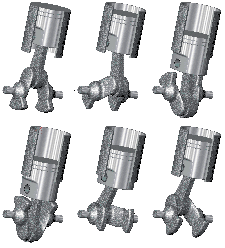
» Assemble a piston and crank assembly
Why:
See explanation under Assignment 3
File(s):
» piston.sldprt
» crank.sldprt
» wrist_pin.sldprt
» cylinder.sldprt |
Top | Home-Frames | Home - No Frames |
HTML -
Writing Web Pages What's Involved:
» Read tutorial on web pages
» Modifying an existing template for you final project
Instructions:
» Modify the title, headings, text, and images (if you have
them) to make the first rough draft of your final report.
Why:
Web pages:
» You will write your
final report as web pages. We will collate your reports and make the base pages of MIT's
How Things Work Page.
» You will now be
able to make your own web page and publish your resume and portfolio online.
File(s):
» index.html_template.html |
|