8.01/8.02 Clickers: Personal Response Devices (PRS)
PLEASE REGISTER YOUR PRS FOR SPRING 8.02 2011 AS SOON AS YOU ARE SURE OF WHICH OF THE 8 SECTIONS YOU ARE GOING TO ATTEND!
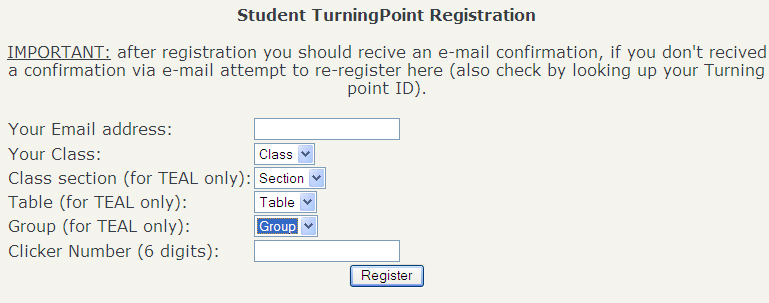
GO TO THIS LINK AND IN THE BOX SHOWN BELOW ENTER YOUR MIT EMAIL ADDRESS, 8.02, YOUR SECTION, AND THE CLICKER NUMBER, IGNORING THE TABLE AND GROUP CHOICES
Note that even if you registered your device for 8.01, YOU MUST REGISTER IT AGAIN for 8.02!!
In many of the classes of 8.01 and 8.02 we will ask questions that you
respond to by using a radio frequency device sold by Turning Technologies.
Your responses will provide us with instant feedback on our teaching
of the material in the day's lesson and will also contribute to the portion
of your course grade that is for class participation.
We ask you to purchase one of these devices; they are on sale at the Coop. The device will be used in both 8.01 and 8.02 and is used in other courses at MIT. The Coop also operates a market for used Turning Point devices, similar to what it
does for used textbooks.
This link is to a PDF file with more
information about the response devices.
Registering Your Response Device ID Number
Each device has a unique serial number that identifies the device
to our RF receiver. As soon as you have purchased your device, we ask
you to report the ID number of your device to us.
Please do so by clicking
this link.
Checking Your Response Device ID Number
If you would like to check whether we have correctly registered your device's
serial number, follow
this link.
(It may take a day to be updated after you register your device.)
Using the Device
The device has a small light above the "1/A"
key that will flash green for about a second when your response has been
recorded by the system.
If you answer more than once, only your most recent response will
be recorded.
The devices can broadcast on 82 different RF channels; your response
will not be recorded if the channel is incorrectly set.
For 8.01 you will need to set your device to broadcast on channel 41.
Here is how to do that.
-
Press and release the "GO" button. The light above the
"1/A" key should flash alternately red and green.
-
Use the keys to enter the two-digit channel number 41.
-
The light should turn green for a few seconds to indicate success.
January 30, 2011