Sente 6
Monday, February 1, 2010
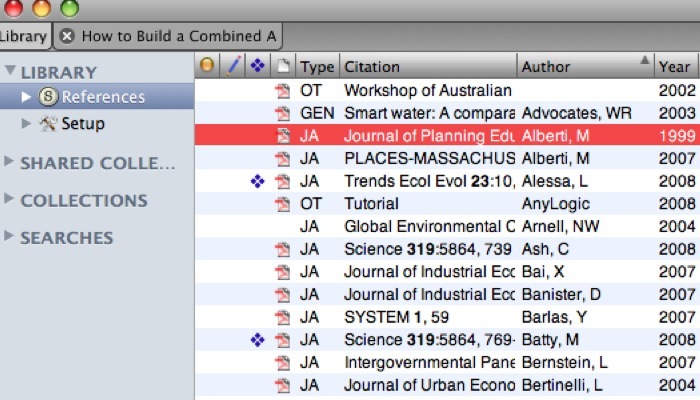
I was looking into reference managers, and I have been trying a manager called Sente 6. The student license is $90. I would pay $90 out of pocket for it based on my experience with the trial version, but my adviser was kind enough to cover the cost.
Reasons I like it:
1. Sente works with any internet browser and any text editor.
For text editors I tend to switch between Microsoft Word, Apple’s Pages (part of its iWork suite), and LATex, since each has its own particular pros and cons. Actually, the only reason I ever use Word is because other people do. Otherwise I find Pages easier to use and it rarely crashes. Its auto-formatting is less annoying than Word’s, and the newest version of Word is a real pain.
I tried the traditional reference managers (Refwords, Endnote, and Zotero) in the fall. I found them unintuitive to use, not one works with Pages, and Zotero requires you to use Firefox as a browser. I often prefer Safari on the Mac, although I like Firefox with Windows.
2. Sente makes it easy to keep all your pdfs in one place while categorizing and having multiple instances of the same document. Also allows note-taking, highlighting, keyword tagging, and smart searching.
-
3. It is easy to import documents into Sente, and makes finding and formatting citations easy.
-
4. It is trivial to change between citation styles.
-
5.The learning curve was short and not very steep. Also, Sente provides handy videos for many features.
-
6.One license covers 3 computers and has a handy feature that allows you to synchronize libraries between them.
All these features make it easier for organize and keep track of my electronic research. I definitely recommend Sente 6.
http://www.apple.com/downloads/macosx/home_learning/sente6.html
http://www.thirdstreetsoftware.com/site/introduction.html
My next software item that I am in search of: a good Gantt chart software/software schedule for my thesis project. It is so much easier to keep on top of my tasks when I create a project schedule.