FastX is a remote desktop solution that can connect you to a PC in the 6.111 lab and give you a graphical display as if you were in lab in front of PC. FastX is install on some of the systems in the 6.111 lab. To use FaxtX you must VPN into MIT network to access 6.111 lab computers.
To use Fastx, install
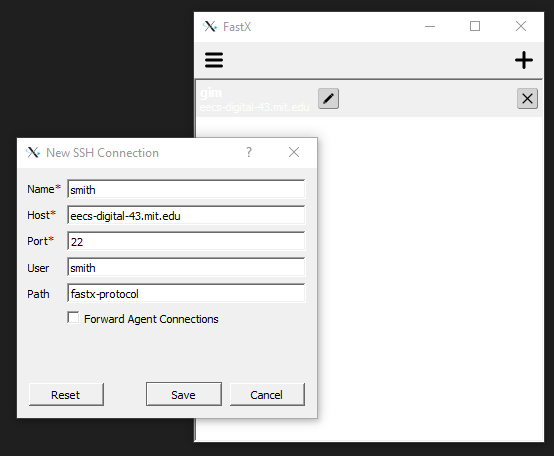
After installation, run Fastx and add a SSH sesstion
Use the 6.111 host assigned to you.
Start the SSH session and login. You are now virtually in the lab. Run Vivado. Note - all files are store on you Athena account and not on your local machine.