|
 |
 |
 |
Modifying Private Groups
To add users from another group:
- From the Edit Address Book dialog box, select the group name from the list on the left and click Open. A list of users in the group appears for you to choose from.
- Select desired users from the left side list and click
Add. The selected users are added to the group on the rightTo view additional information about a user:
- Select the user's name from the list on the left and click Get Info.
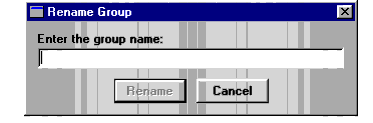
To rename a private group:
| ON Corporation http://www.on.com |
| |
|
|
|