

:: Function ::
:: Calculations :: Data Collection :: Outputs ::
How is data collected?
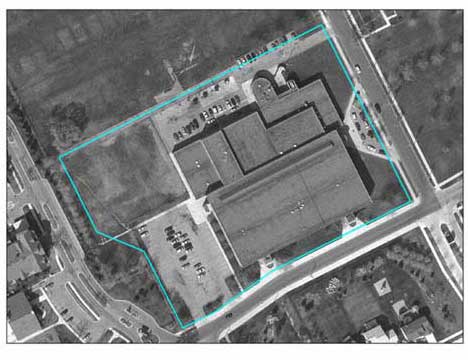 |
Figure 1. Detroit Middle School The first step in any analysis is to pick a site of interest. Both applications can run analyses on urban sites of any size, from a schoolyard (see left) to a city. For large sites, smaller site samples are taken which are then extrapolated for the larger site. Rural analyses can be run, but are likely to yield incorrect results. |
UFORE
To run an UFORE analysis field data (such as tree species, groundcover, canopy cover, etc) must be collected from the site of interest, although data can be more or less depending on the desired output (running all the models will require more data than running only the air pollution sequestration model).The site analyzed can be any size. But, if it is too large to collect 100% of the necessary field data (for example in the case of an entire city), then sites can be randomly sampled and UFORE can extrapolate this data to the whole city. Data can be collected on paper or with electronic recorders (PDAs). Once all relevant data has been collected, it is sent to the Forest Service for analysis.
CITYgreen 5.0
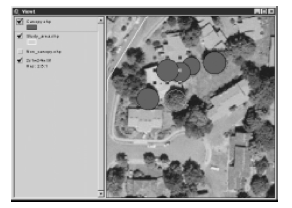
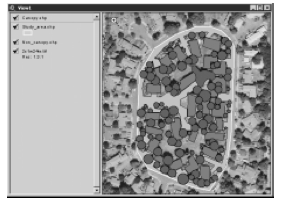
As with UFORE, large sites require sampling and extrapolation, although the new CITYgreen for ArcView can now run analyses over an entire region. Site mapping (for orientation and landcover) is done in GIS ArvView, and all data input is done through the ArcView interface, and for each groundcover layer, field data is input as attributes.
 |
 |
Source: CITYgreen Manual (contact American Forests for copy)
Certain, but not all of the CITYgreen models rely on some field data collection (see Table 1). CITYgreen is designed to use ESRI's ArcPad software, allowing users to update their files onsite with a PDA.
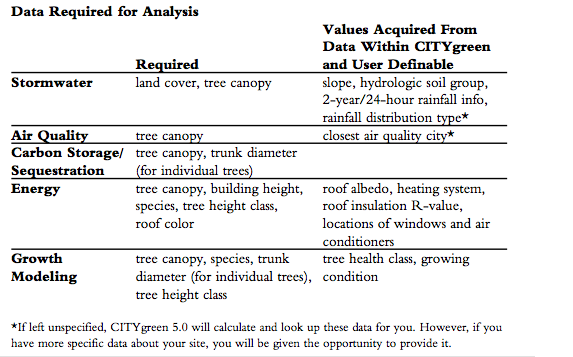
Table 1. Data required for different CITYgreen 5.0 analyses
Source: CITYgreen Manual (contact American
Forests for copy)
For More..