
 |
 |
 |
 |
Responding to a Meeting Proposal
Click OK in the notification dialog box to receive active messages or choose Messages from the View menu to see a list of invitations and other Meeting Maker messages.
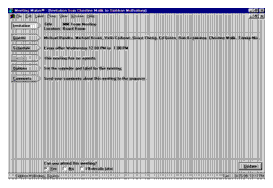
From the Active Messages folder, double-click the new message to read the invitation.

Click Guests, Schedule, or Agenda to see meeting details. Click Comments to send a message back with your reply.
To accept the invitation, click the Yes button, then click Reply. To decline the invitation, or to decide later, click the appropriate button and click Reply.
| ON Corporation http://www.on.com |
| |
|
|
|