
 |
 |
 |
 |
Responding to a To-Do Proposal
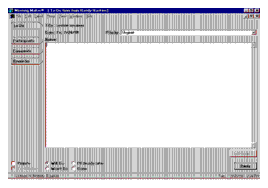
The steps for responding to a To-Do request are:
- From the To-Do Requests folder in the Message Window, double-click the to-do proposal to open it.
- Click Participants to see other people who received the proposal.
- Click Comments to send information back to the proposer.
- Click one of the option buttons then click Reply.
You can set your own priority for group to-do items you receive, and you can mark them private, but you cannot change the title, the date, or notes set by the proposer.
| ON Corporation http://www.on.com |
| |
|
|
|