










The Device:
The scanner is concealed in a regular flip-top glasses case.
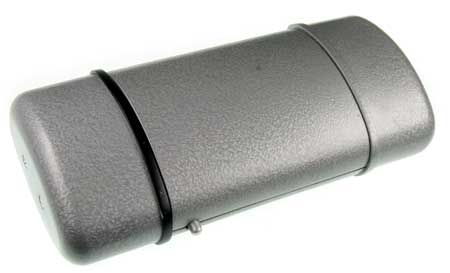
See Final Product for more images on what the device looks like. When the user tries to open the glasses case like a regular flip-top case, the two ends pop out to reveal the scanner.
Operation:
Having opened the case the user is presented with a button and some illuminated symbols indicating the status of the device and how it needs to move over documents.
There is only ONE other button to push (besides the one that opened the case) and after seeing the scan instruction symbol the user realizes that the device is indeed a clue scanner and the button is the scan button.
Holding down the button, the user "scans" the clue. A beam of light turns on and can be seen on the surface of the clue. All clues are 2D (on flat surfaces) but may be in a 3D location (e.g. map on the wall). When they are done scanning, they release the button and the lights on the device give feedback that the clue is being saved. Once the saving sequence is done the user can move onto the next clue to be scanned.
There are 4 critical clues in the Spy Adventure that the Spy Museum would like all agents to scan. To provide feedback to the guide, a "low battery" symbol goes on if the scanner has scanned the 4 critical clues. See In Action to see the low battery light and to watch the clue scanner being used.
In Context with the Spy Adventure:
The clue scanner is a concealed device that the guide carries in the “spy toolkit” the team bring with them for this operation. The guests will have been briefed in the briefing area on the tasks to be completed in the Director's Office.
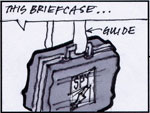
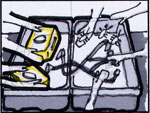
An eyeglass case was chosen because of the "coolness" factor of a concealed device and the connection the guests will make with the clue scanner to the concealed cameras (also concealed in glasses cases) they will see in the museum.
After escaping the Director's office and boarded the van, the guests hand over the scanner to the guide for downloading via a USB cable connected to a computer. Connecting the cable uploads the clue IDs to the exhibit control system, recharges the photoscanner and resets the photoscanner memory ready for the next group. More details about the clue scanner in use can be viewed in the Storyboard.
