|
|
Survey
Edit Question
- Click on a Question Set
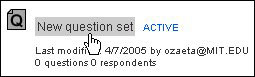
- Click on the Questions tab

- Select a question, then click edit

- Click in the textbox and modify the question


- Choose an Answer data type (select one)
General (unrestricted)
Response can contain text or integer.
Integer only
Response can only contain an integer.
- Choose an Answer type (select one)
Text field (one-line)
Default character width: 50 (no limit).
Use a text field for questions that require short answers. The width of the
text field will determine how wide a question set will display to the responder.
Text area (multi-line)
Default character width: 50 (no limit)
Default number of lines: 4 (no limit)
Use a text area for questions that require long answers or for comments. Once
the number of lines is exceeded, a scroll bar will appear on the right side
of the text area automatically. The width of the text area will determine how
wide a question set will display to the responder.
Drop-down menu
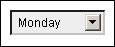
Radio button
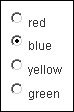
Check box

- Determine if the questions need re-sorting
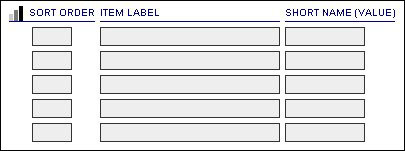
Note: To display an item at the top of the order, enter '1'.
The item labels are sorted in ascending order.
Item Label
A list of choices that a responder can choose from.
Short Name (Value)
A short name is produced for each item label you enter. It can be modified
to your liking by manually entering a value. The short name is primarily used
in database queries. Note: The short name will need to be changed manually when
an item label is modified.
- To accommodate more than 5 item labels, click More Choices

- Click Cancel, Add Another Question, or Finish
|