|
|
Survey
Add Question Set
- Select a folder
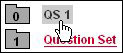
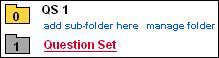
Note: All Question Sets need to reside in a folder. For this
example, a new question set is added in the folder called QS 1.
- On the right portion of the window, click new question set
- Question Set Properties
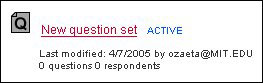
- Status: Active
A new question set is assigned
the status of ACTIVE which can be modified in the Properties tab.
- Last Modified: 4/7/2005 by ozaeta@mit.edu
Displays when the question set was added and the creator's email.
- Questions: 0 questions
Number of questions in this question set.
- Respondents: 0 respondents
Number of responders to this question set.
|