|
|
Survey
Rename Question Set
- Click on a Question Set
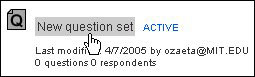
- Click on the Properties tab

- Click inside the Rename Question Set textbox, then enter a new name

- Click Rename
Note: Names entered in the textbox will not be saved until you
click on Rename. However, if you have entered a new name in the
textbox and have not clicked on Rename, and would like to display the
original name of the question set, you can do so by: a) clicking on
other tabs (e.g. Status, Questions, Invite, or Results), then clicking
back on the Properties tab OR b) clicking on any area outside the
textbox, then clicking on your Internet browser's Reload/Refresh button.
|