QTools Users Manual
- Build a survey in 4 steps!
- Workspace
- Folder Management
- Survey
- Add Question Set
- Add Question
- Add Text
- Delete Question Set
- Delete Question
- Delete Text
- Edit Question
- Edit Text
- Export Survey Results
- Import Questions
- Invite Participants
- Move Question Sets
- Preview Survey
- Rename Question Set
- Response Options
- Set Active/Expire Date
- Sort Questions
- View Survey Properties
- View Survey Questions
- View Survey Results
- View Survey Status
Survey
Export Survey Results
The question set called 5106 F03 AMM&NS (located in MIT > AMM&NS) will be used to demonstrate how to export results for a question set.
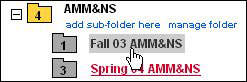
- Click on the Fall 03 AMM&NS folder
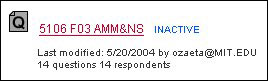
- Click on 5106 F03 AMM&NS question set
- Click on the Results tab

- Select Results View
Note: There are three view options for Results: Overview (default), Statistics, and Respondents.
Overview
Displays the respondent's answer for each question.
Statistics
Computes the actuals, average, standard deviation, min and max for each question.
Respondents
Lists the responders who have responded and not responded to the question set. - Click export results

- Select 'Open with' or 'Save to Disk' by clicking on the appropriate radio button

Note: 'Open with' will launch Excel and display an unformatted display of the results data. 'Save to Disk' will save the results data on your desktop as an Excel document. - Click OK or Cancel