|
|
Survey
Import Questions
- Click on a Question Set
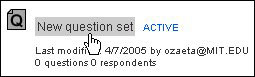
- Click on the Questions tab

- Click import questions


- From the file tree structure, click on a folder

Note: Once a folder is clicked on, the right portion of the
window will display the folder's contents.
- Click on a question set

Note: Clicking on a question set will launch a window listing
the question set's questions. If you decide that this is not the set
of questions you would like to import, click 'Cancel' or 'Go back'.
Cancel
Will bring you back to the Questions tab window.
Go Back
Will display the window containing the folder tree structure.
- Select the question(s) to import
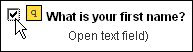
Note: Questions can be selected individually by clicking on the
check box displayed at the left side of each question.
If you would like select all of the questions, click Select All.

To reset you selection, click Clear All.

- Click Import

|